24/24right answers for Claude Haiku and Sonnet with Lore's hook, against the docs folder's 16/24

How it works

The few entries that matter, before the assistant starts looking.

Lore keeps a team's knowledge as entries a person owns and vouches for. An assistant asks for the ones its task needs, cites what it used, and gives back what it learned for a person to approve.

The screenshots are the real app on made-up data: its people, areas and entries are samples.

01 · Entries

Written once, owned by someone, kept true.

How-tos, rules, decisions, incidents and references. Each one has a named owner, is approved before it counts, and says how sure anyone can still be of it.

An owner on every entry

Someone vouches for it and is the person to ask. Proposals, from people and from assistants, wait for the area's reviewer or the entry's owner: nothing is published unseen.

Freshness, in three words

  • Verified: by whom, and when.
  • Needs a re-check: it is old, the code it rests on moved, or an entry it depends on changed.
  • Unverified: nobody has vouched for it yet.

Linked, like the work is

Entries point at each other (depends on, fixed by, caused by, contradicts), and the links are on a map you can walk by keyboard.
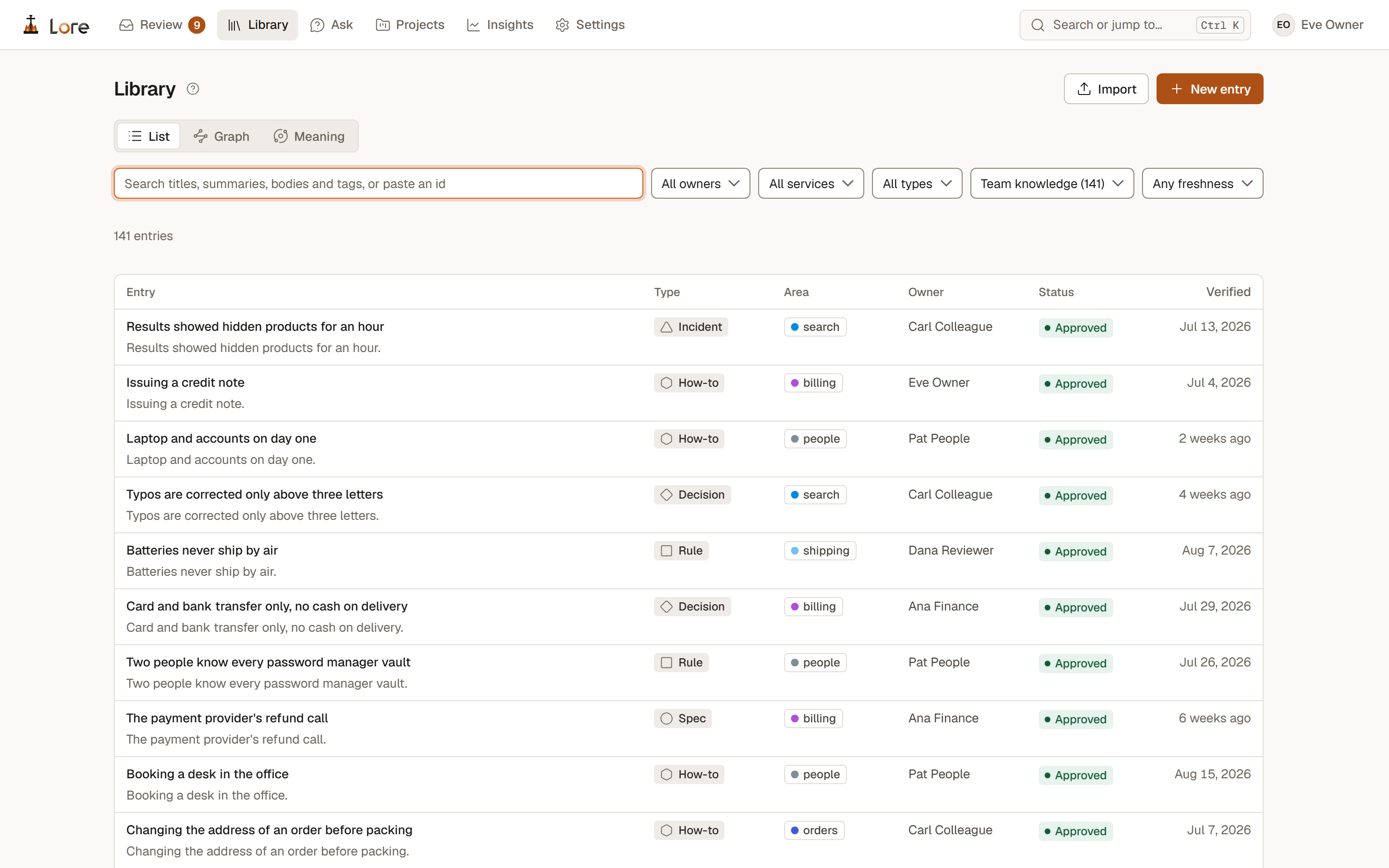
Lore's Library: a list of entries, each with its type, area, owner, status and when it was last verifiedLore's Library: a list of entries, each with its type, area, owner, status and when it was last verified
The Library: every entry's type, area, owner, status and when it was last verifiedfig. 1

02 · Two maps

See the whole of what your team knows.

The Library draws its entries two ways: by how they are linked, and by what they mean. Both work by keyboard and filter by owner, area and type, and both know your projects.

The graph

Each area is an island, ringed and named at its core, with for an area of code. Group by projects and each project wraps its areas: a ticked rim for a code project, a plain one for a team's. An area two projects share carries both colours.

Meaning

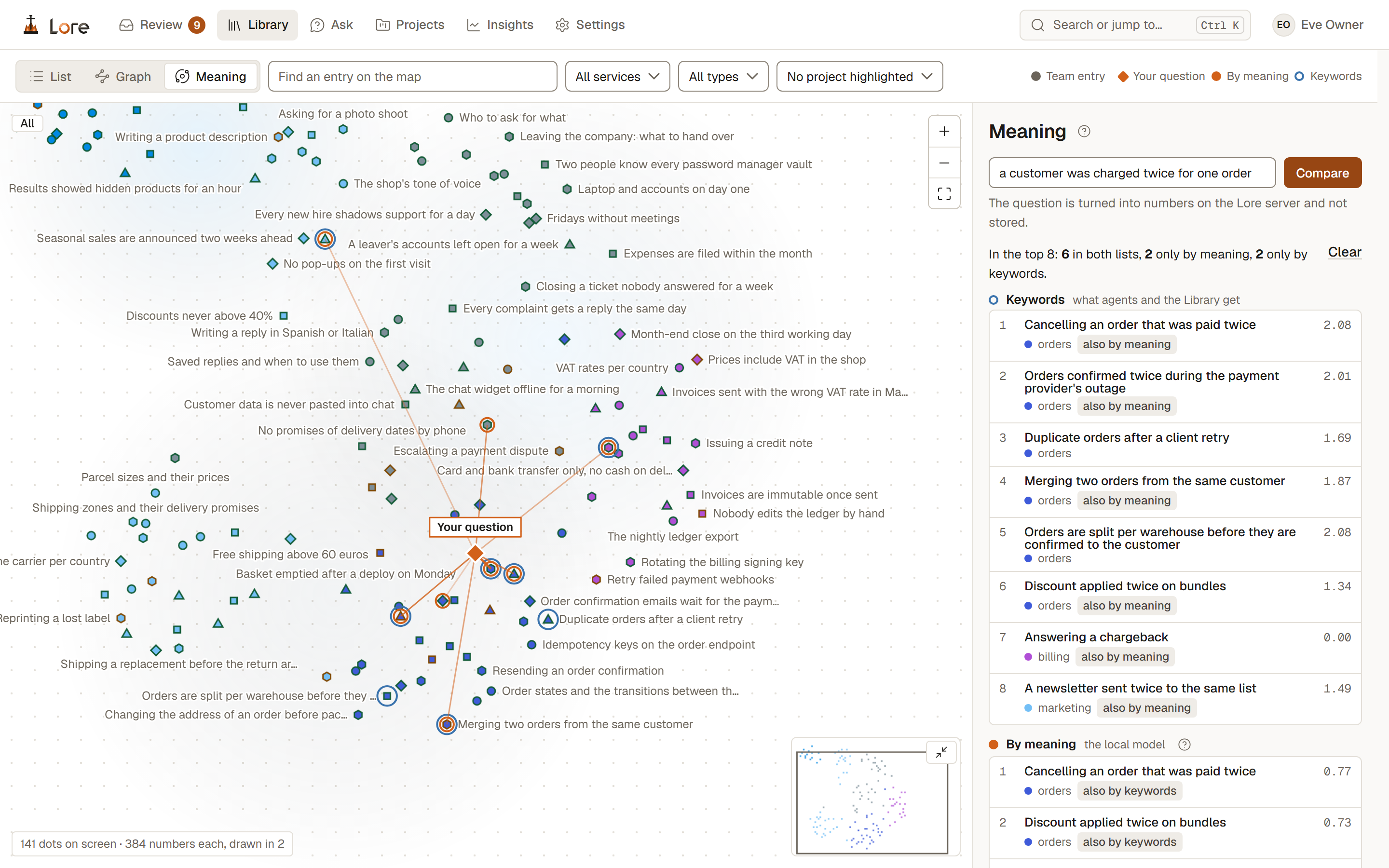
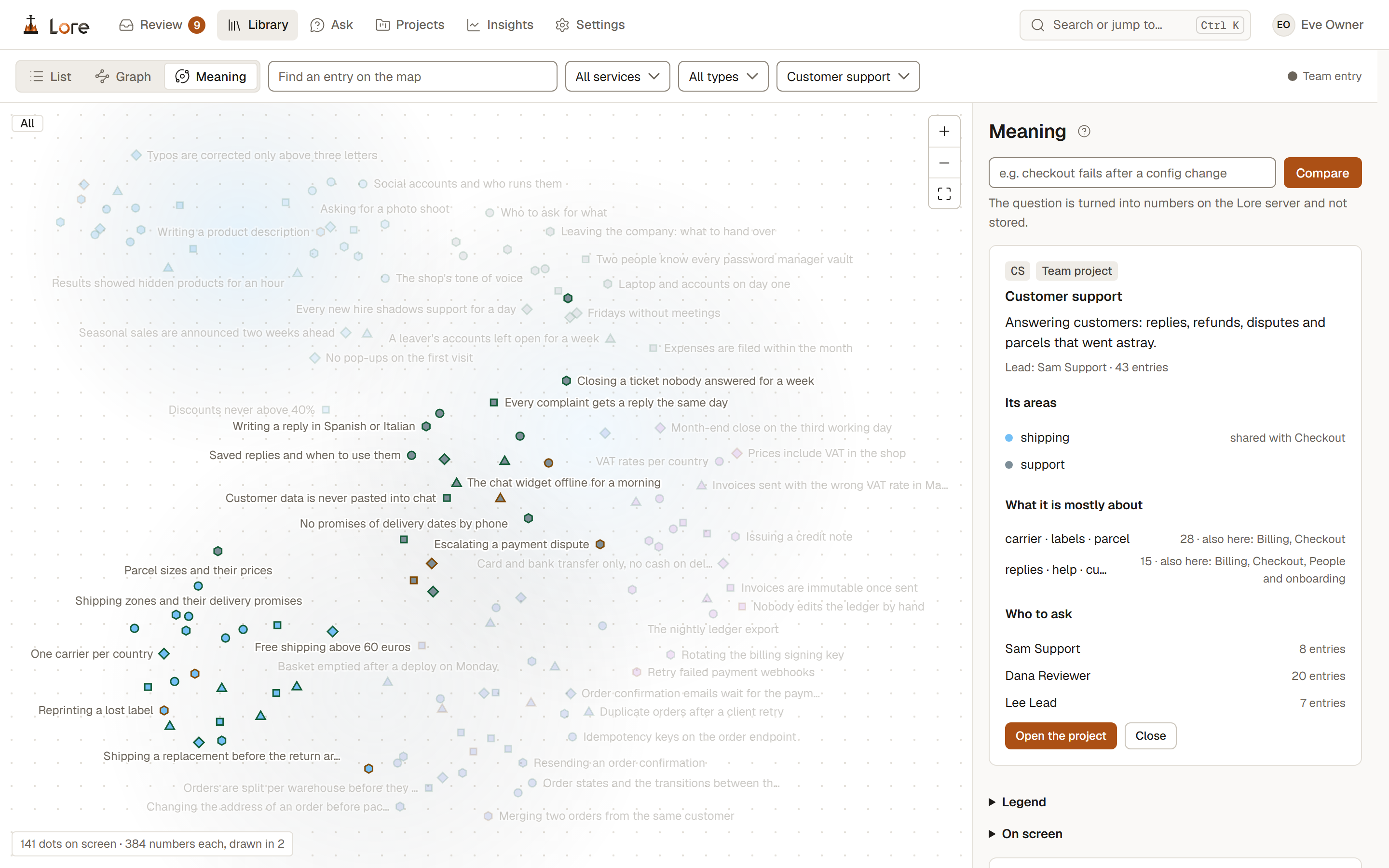
Every entry placed by what it says, by the local model inside the Lore server. Type a question and it lands among them, with what keyword search and meaning each find. Highlight a project to see what it is mostly about, and who else works on the same topics.
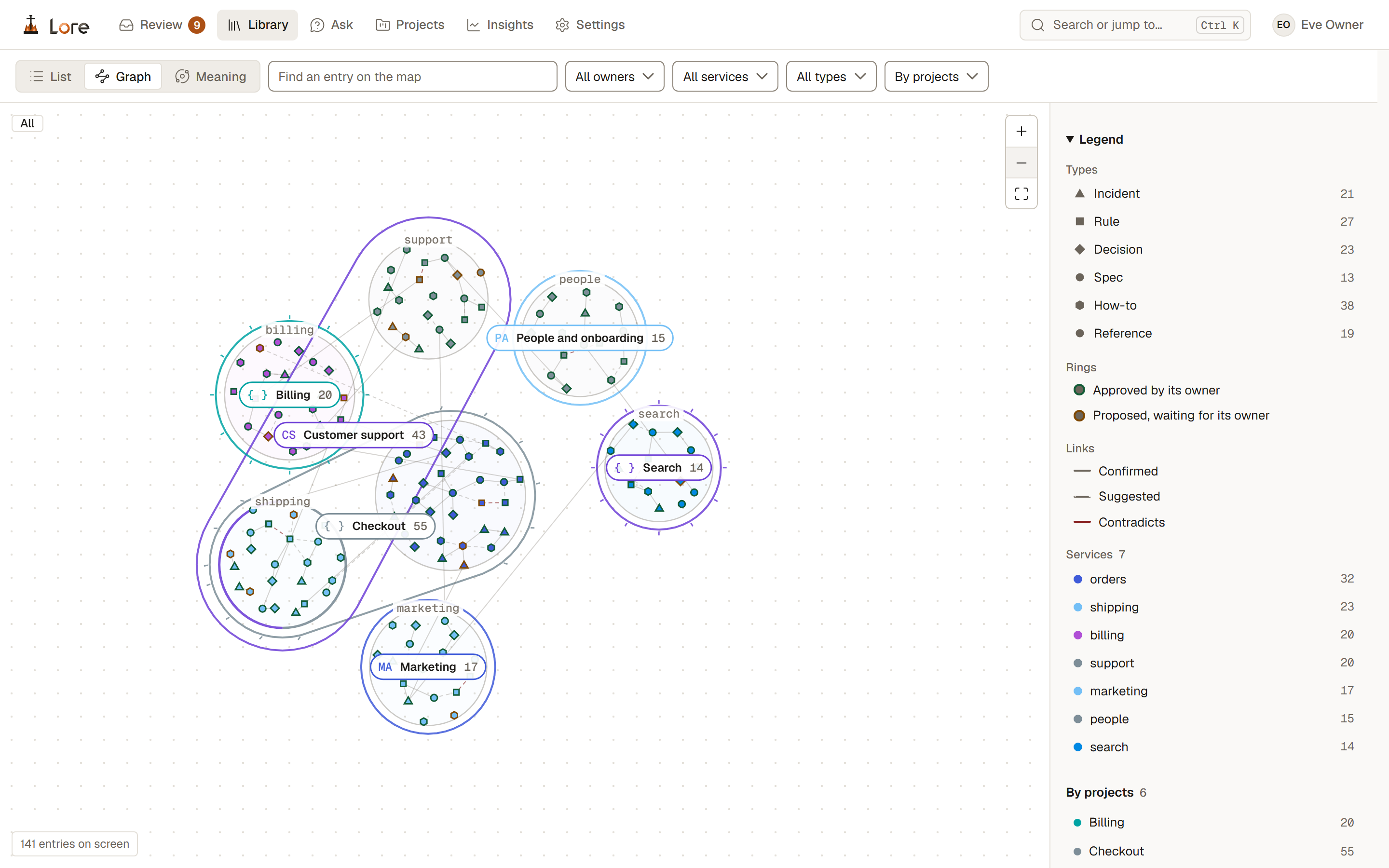
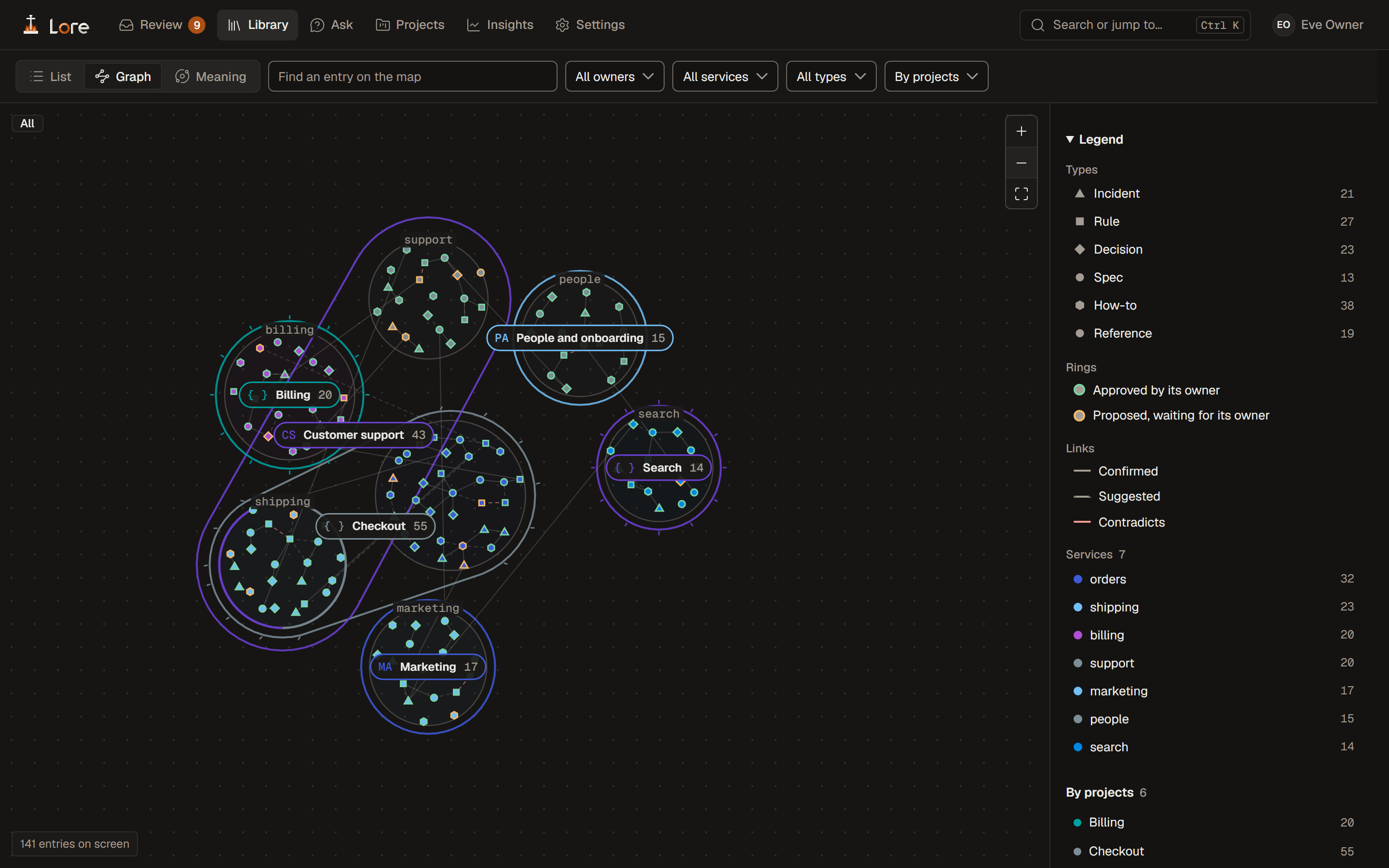
The graph grouped by projects: six projects drawn as outlines around their areas' islands, code projects with a ticked rim and { }, team projects with a plain rim and initials, Customer support wrapping the support and shipping areas it shares with CheckoutThe graph grouped by projects: six projects drawn as outlines around their areas' islands, code projects with a ticked rim and { }, team projects with a plain rim and initials, Customer support wrapping the support and shipping areas it shares with Checkout
The graph by projects: code and team projects around their areas, a shared area in bothfig. 2
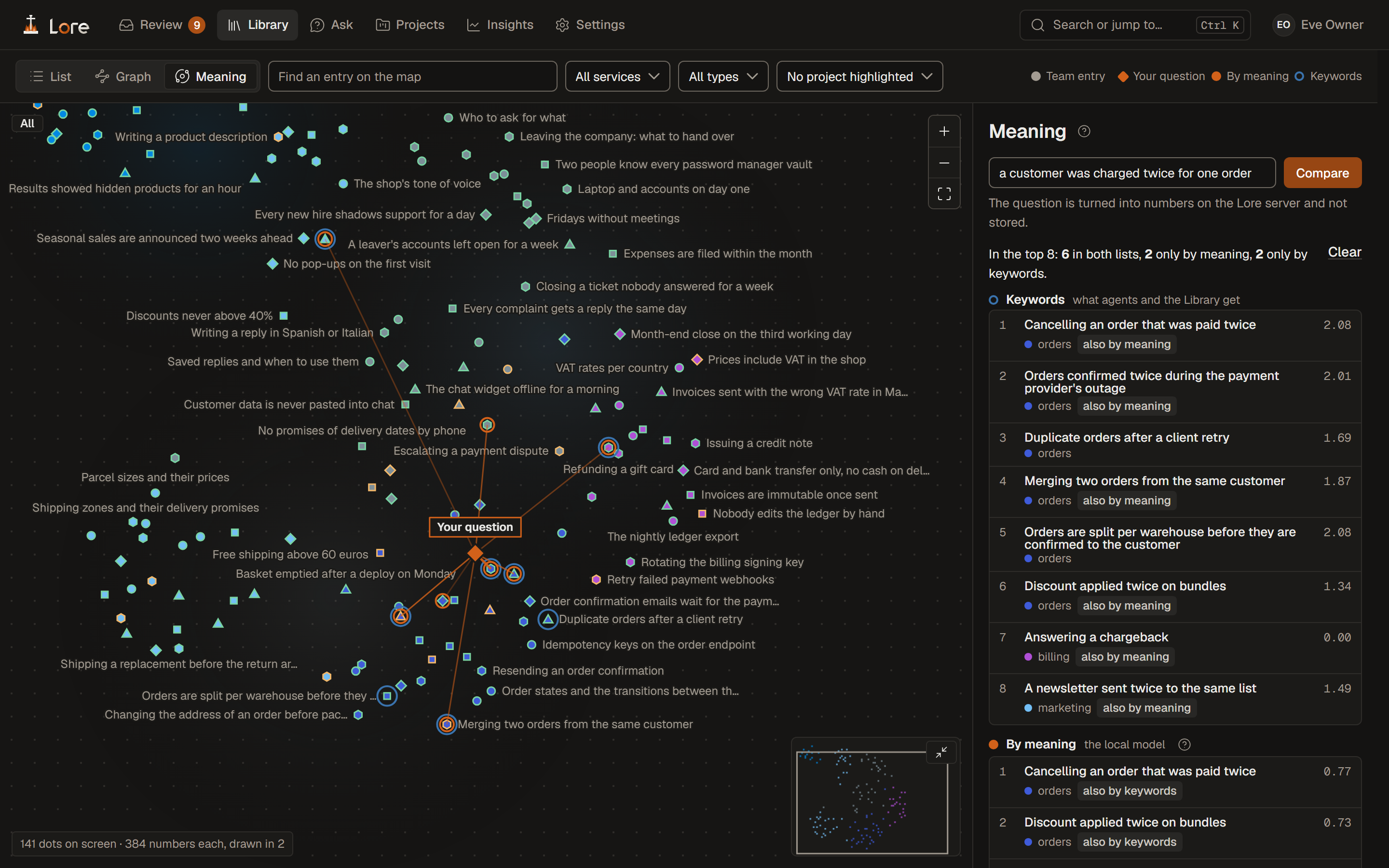
Meaning: entries placed by what they say, a question about a double charge placed among them and linked to its nearest entries, and the keyword and meaning results listed side by sideMeaning: entries placed by what they say, a question about a double charge placed among them and linked to its nearest entries, and the keyword and meaning results listed side by side
Meaning: a question placed among the entries, and what keywords and meaning each findfig. 3
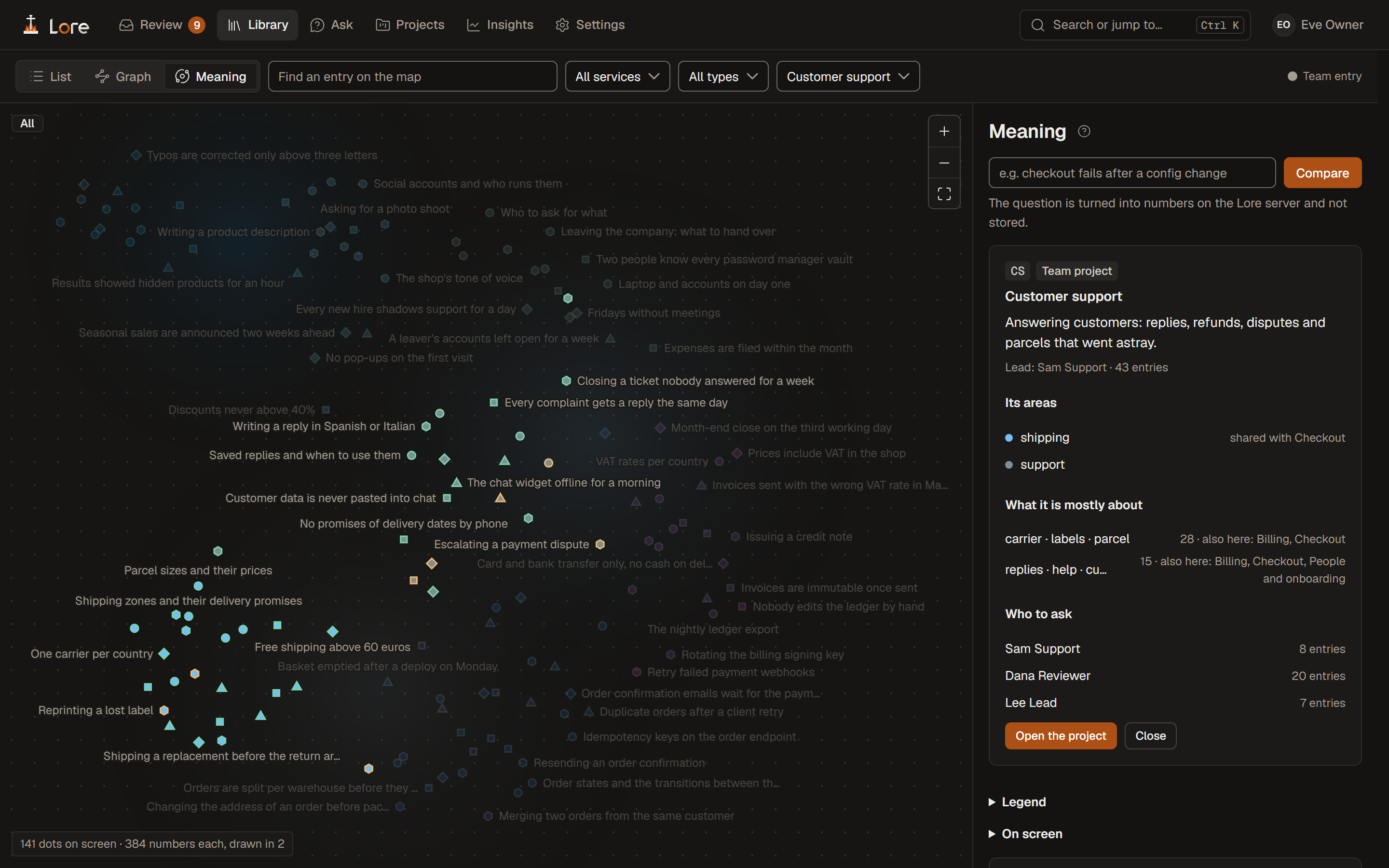
Meaning with the Customer support project highlighted: its entries lit, and the panel giving its lead, its areas, what it is mostly about and the projects that share those topics, and who to askMeaning with the Customer support project highlighted: its entries lit, and the panel giving its lead, its areas, what it is mostly about and the projects that share those topics, and who to ask
A project highlighted: its entries lit, what it is mostly about, and who to askfig. 4

03 · For assistants

One call before the first file is opened.

Lore is an MCP server, so Claude Code, Codex, Cursor, Windsurf, GitHub Copilot and any assistant that speaks MCP can use it.

The brief

The assistant hands over its task; Lore returns the few passages that matter, within a token budget the caller sets, or nothing at all.

A quiet hook in Claude Code

Lore speaks only when an entry is clearly relevant: 98% of unrelated prompts get nothing. If Lore is down or slow, the session carries on without it.

Small to carry

Its instructions cost 148 tokens a session. The rest of its guide, and the five small skills lore connect installs, are read only when a task needs them.

fig. 5 · a brief, then the work, then an answer that cites (a made-up example)

04 · What comes back

Cited, so you can check. Learned, so the next one knows.

Citations

An assistant cites the id and owner of every entry it used, so a person can check the answer against its source.

What it learned, proposed

Assistants propose new entries, correct or confirm old ones and flag what looks stale. A person approves each one.

Asked, not answered

Searches that found nothing are grouped by meaning and sent to someone who can answer. The answer goes back to whoever asked.
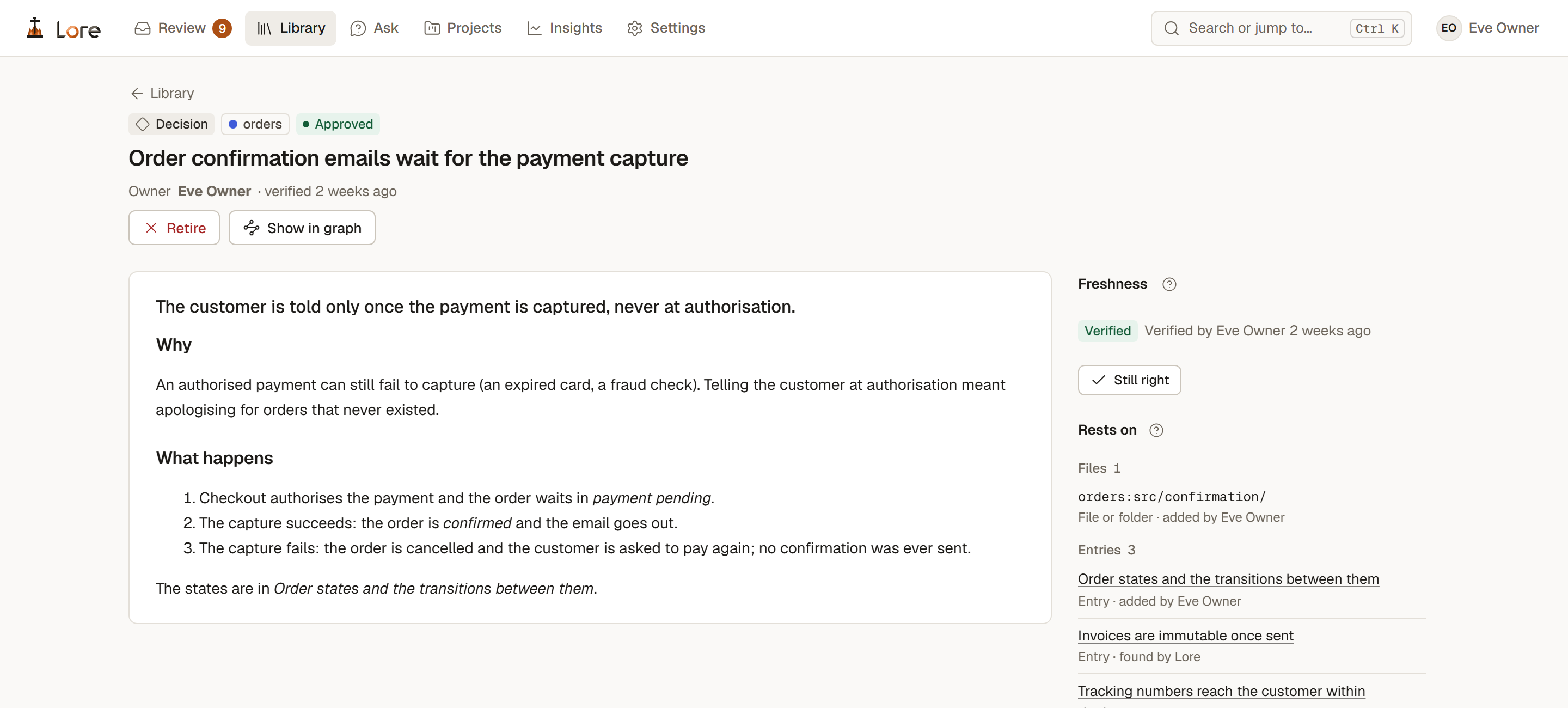
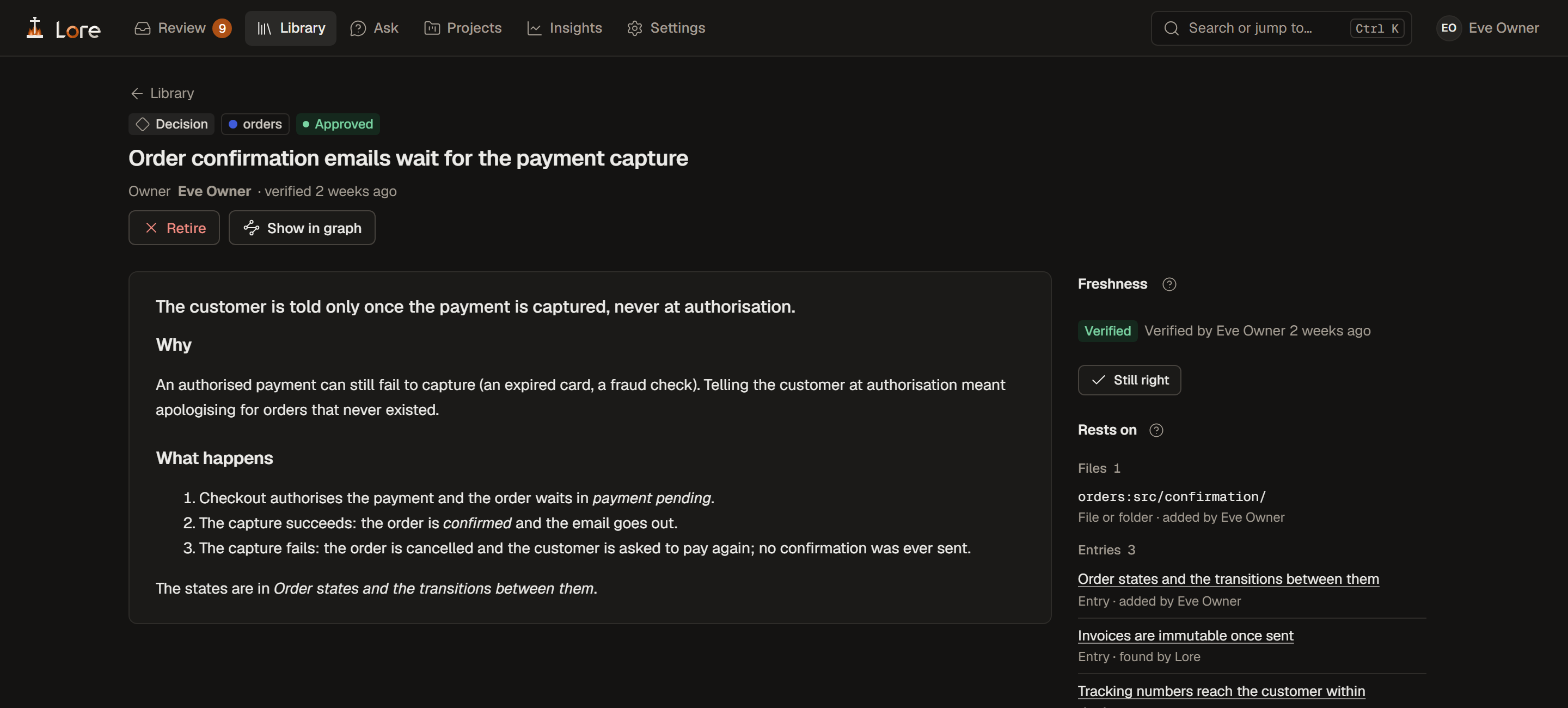
An entry in Lore: a decision with its owner, its body, its freshness (verified two weeks ago), the file and the entry it rests onAn entry in Lore: a decision with its owner, its body, its freshness (verified two weeks ago), the file and the entry it rests on
An entry: its owner, its freshness, and the code and entries it rests onfig. 6

05 · For people

The same knowledge, for the people who keep it.

Ask

A question in the app or in Slack, answered from approved entries only, each one cited, in a conversation you can follow up.

Projects

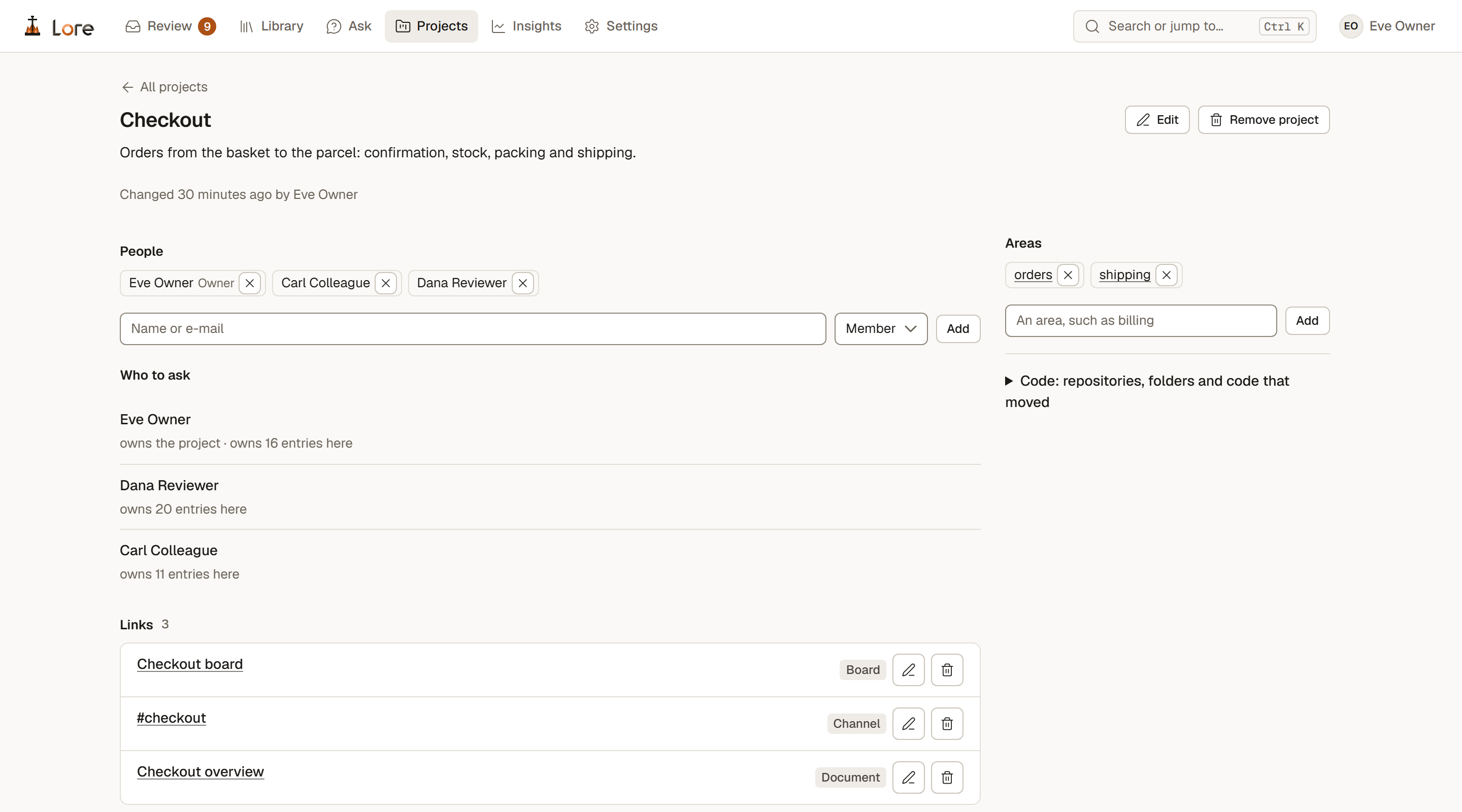
One page per project: its knowledge, its people, who to ask, its links and its open questions.

Savings, labelled

What Lore served and what it is estimated to have saved, each estimate labelled and its method one click away.
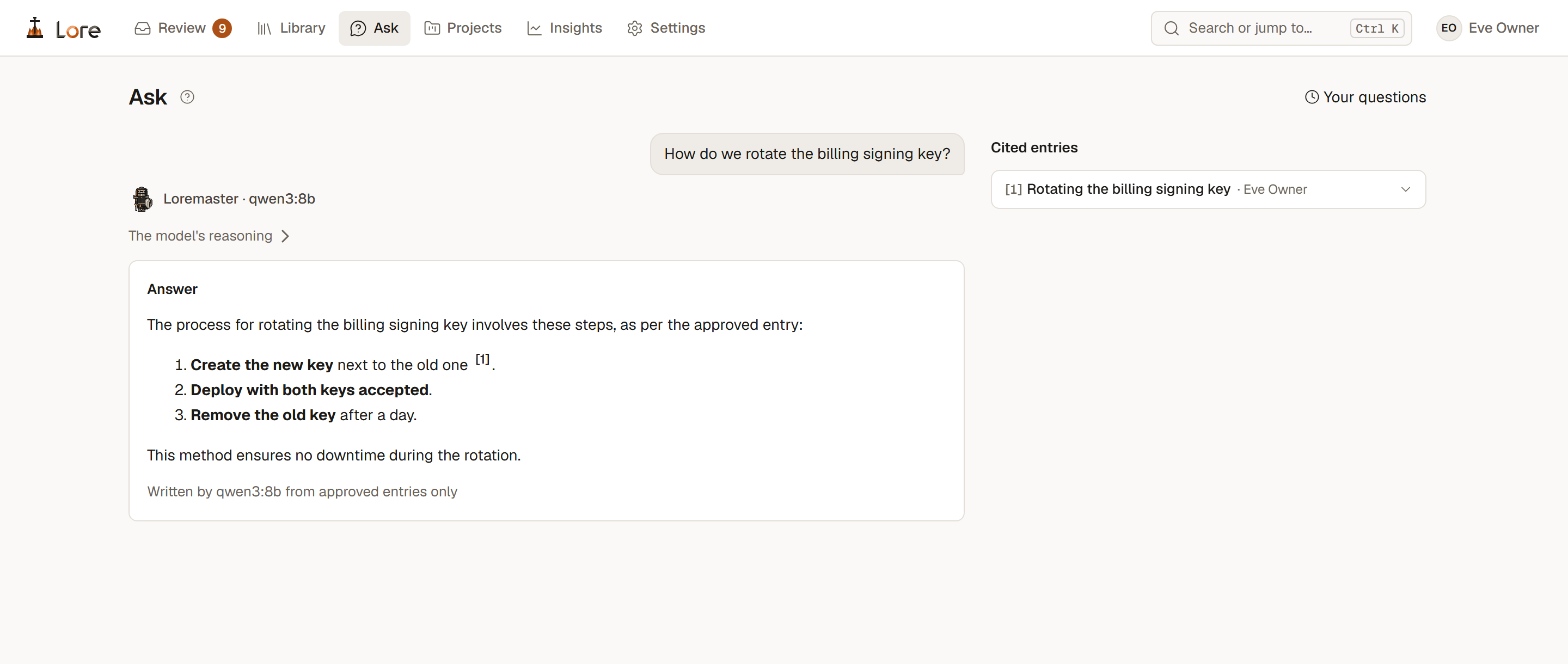
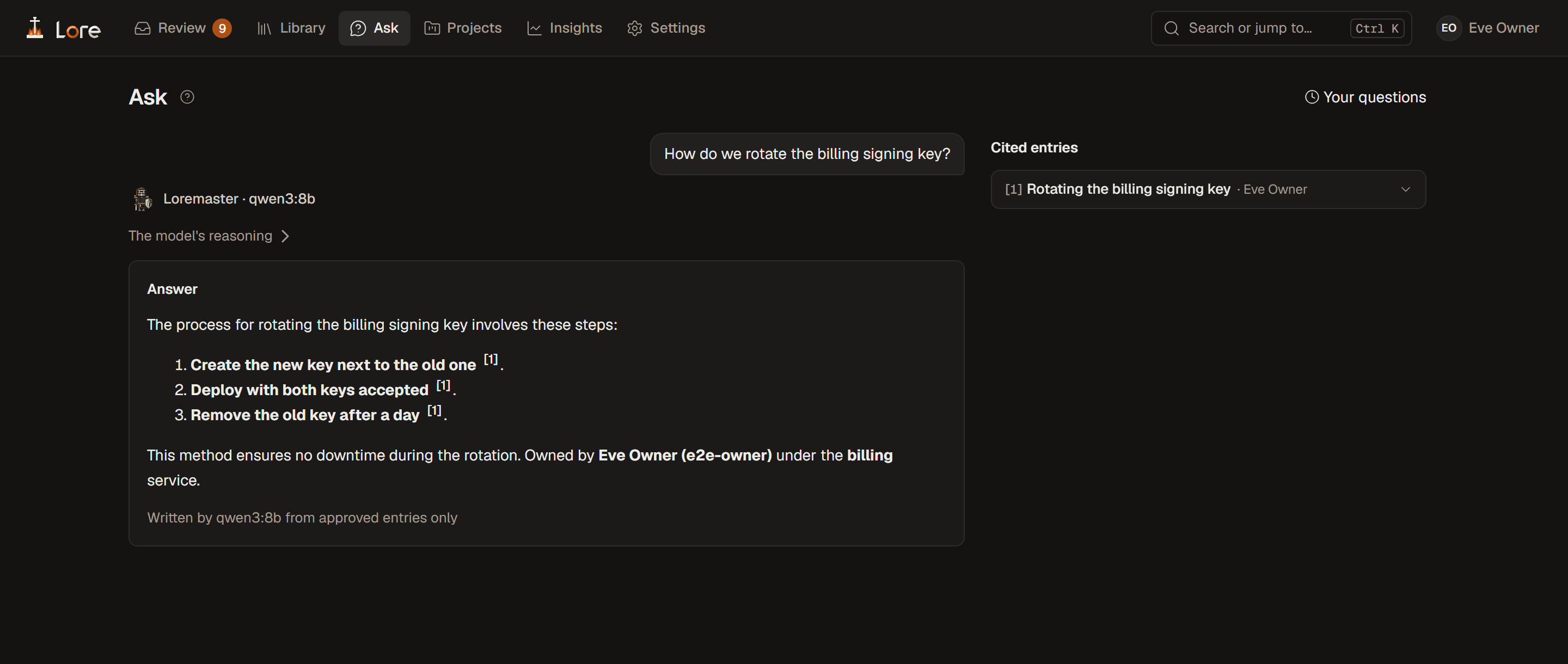
Ask: the question, the Loremaster's answer by Qwen3 8B in three steps citing one entry, and the cited entry with its ownerAsk: the question, the Loremaster's answer by Qwen3 8B in three steps citing one entry, and the cited entry with its owner
Ask: the Loremaster answers from approved entries only, here with Qwen3 8B on this computerfig. 7
A project page: Checkout, its people, who to ask with how many entries each owns, its areas and its linksA project page: Checkout, its people, who to ask with how many entries each owns, its areas and its links
A project: its people, who to ask, its areas and its linksfig. 8

How the pieces fit together →What it measured, model by model →Where your data lives →