24/24right answers for Claude Haiku and Sonnet with Lore's hook, against the docs folder's 16/24

Your data

Your team's knowledge stays where you put it.

Lore is software you run, not a service you send things to. Your entries live in its database on your computer or your team's server, and each assistant gets only the passages its task needs.

The screenshots are the real app on made-up data: its people, areas and groups are samples.

Where it runs

One server, in two shapes.

The same server runs inside an app for one person, or on machines your team runs for everyone.

Lore Local, for one person

One app with everything included: its own database, the server, its three local models and the lore command. No Docker, no terminal.

  • Data stays in the app's folder, private to you
  • The database password lives in the system's keychain
A team server

The same server as a container image: a compose file to try it on one machine, a Helm chart for Kubernetes with several replicas.

  • Every request needs a token
  • People sign in with GitHub, Google or OpenID Connect, or get a token from the owner

What leaves it

The passages for the task, not the whole base.

To an assistant

A brief holds the few passages that answer the task, within the token budget it asks for. Searching, embedding and ranking run on Lore's own local models.

To a model, when you choose one

Ask answers from approved entries with the model you set: an open model on your own machine, or a provider such as Claude. It sends what the question needs.

To your other tools

Events go out only where you point them: webhooks, or Kafka and RabbitMQ with the optional plugin, for approved entries, open questions and freshness changes.

Who reads what

Access per area, on every path that reads.

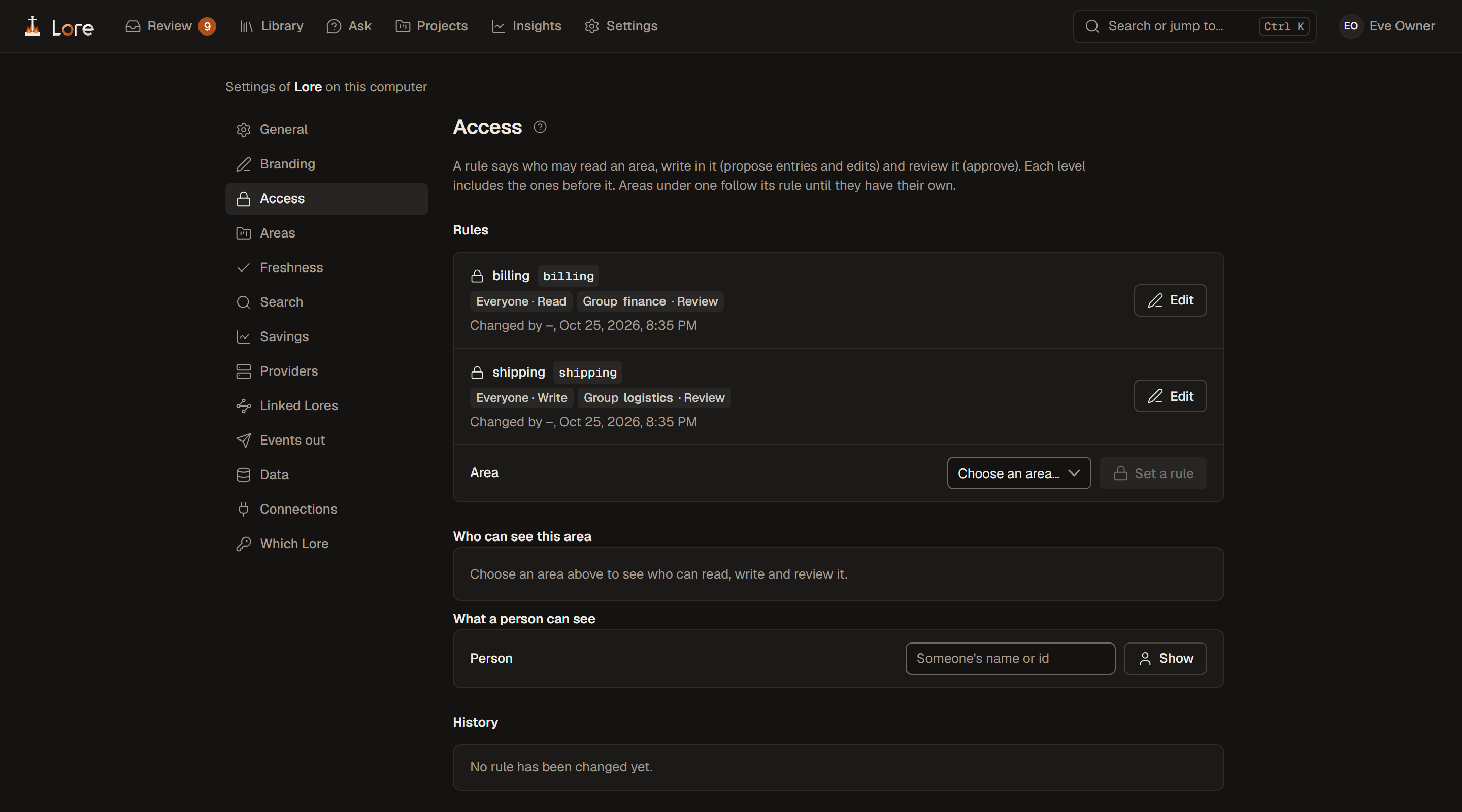
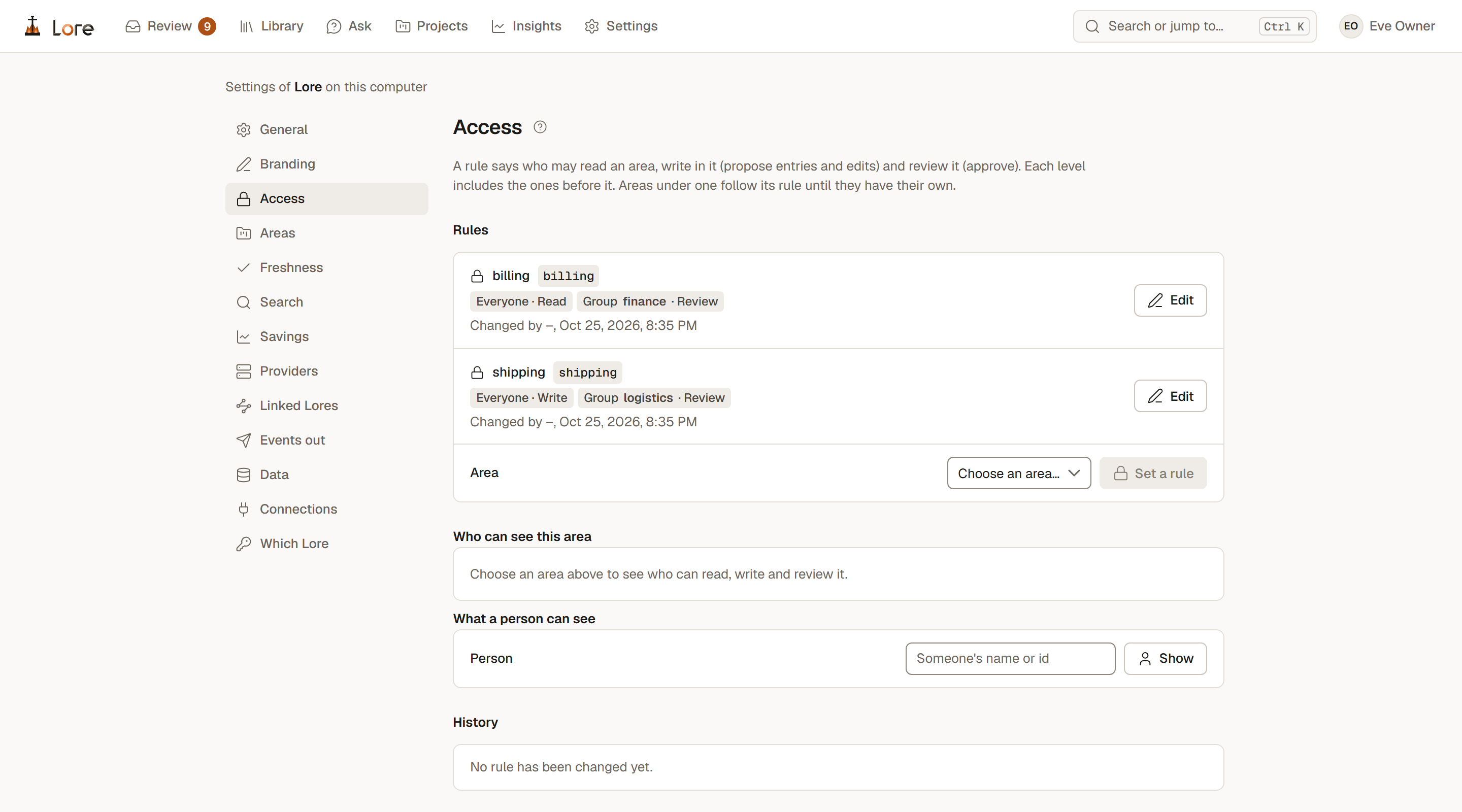
Who may read, write and review each area, by person, team, sign-in group or everyone. The rules hold for the app, Ask and every assistant alike.

Connectors, read-only

Slack, Jira, Confluence, Google Drive, Notion and Linear, mirrored read-only and searched like the team's own entries, with access following who may read them at the source.

Linked Lores

Several installations searched as one, each answer marked with where it came from. Nothing is copied, and each Lore decides what it returns.

Yours to take

Export, import and backups, and upgrades Lore runs itself.

Settings, Access: the rules for the billing and shipping areas, who may read, write and review each, with tools to see who can see an area and what a person can seeSettings, Access: the rules for the billing and shipping areas, who may read, write and review each, with tools to see who can see an area and what a person can see
Access: who may read, write and review each area, and what a person can seefig. 1

Settings

Every connection Lore makes, on one page.

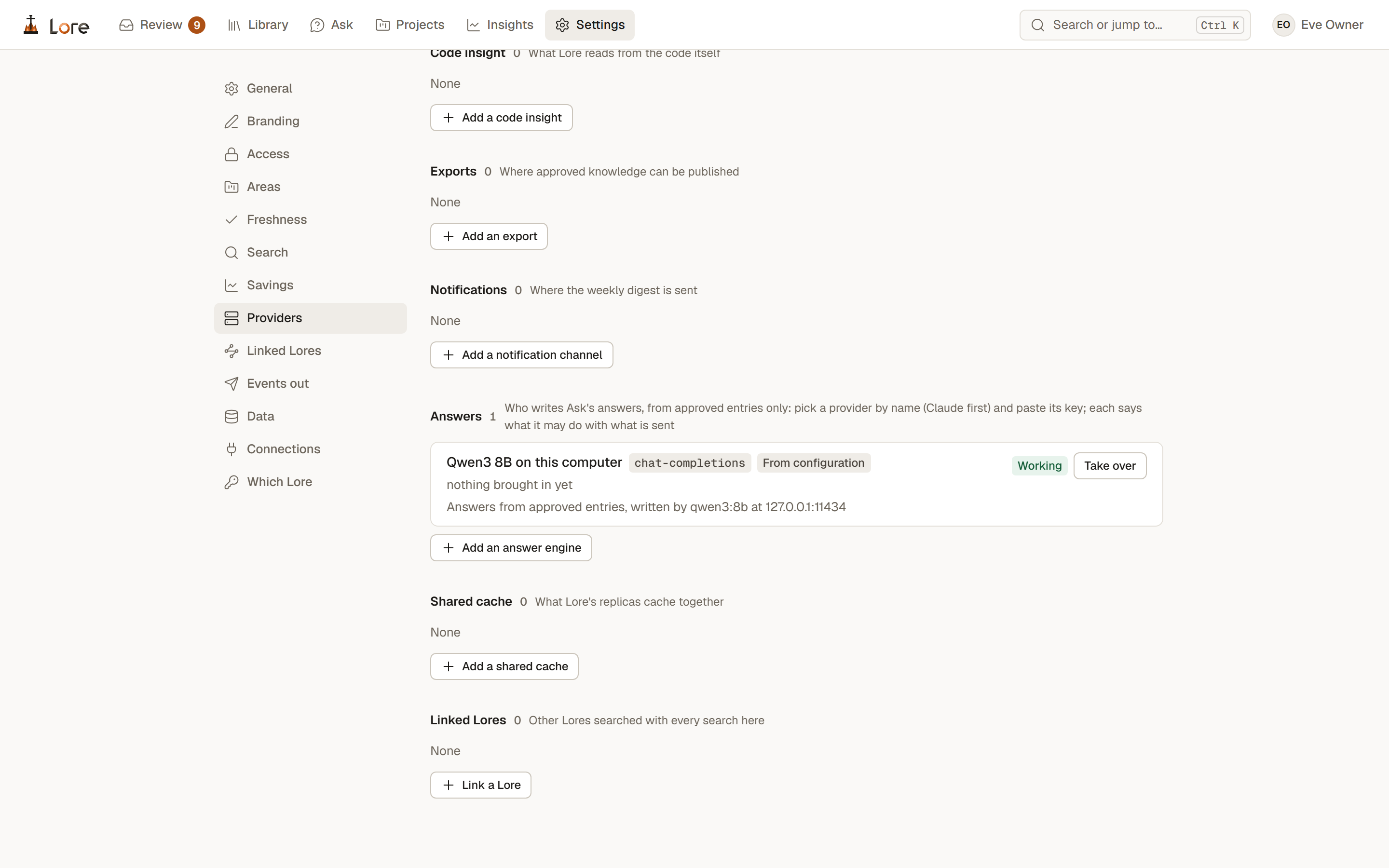
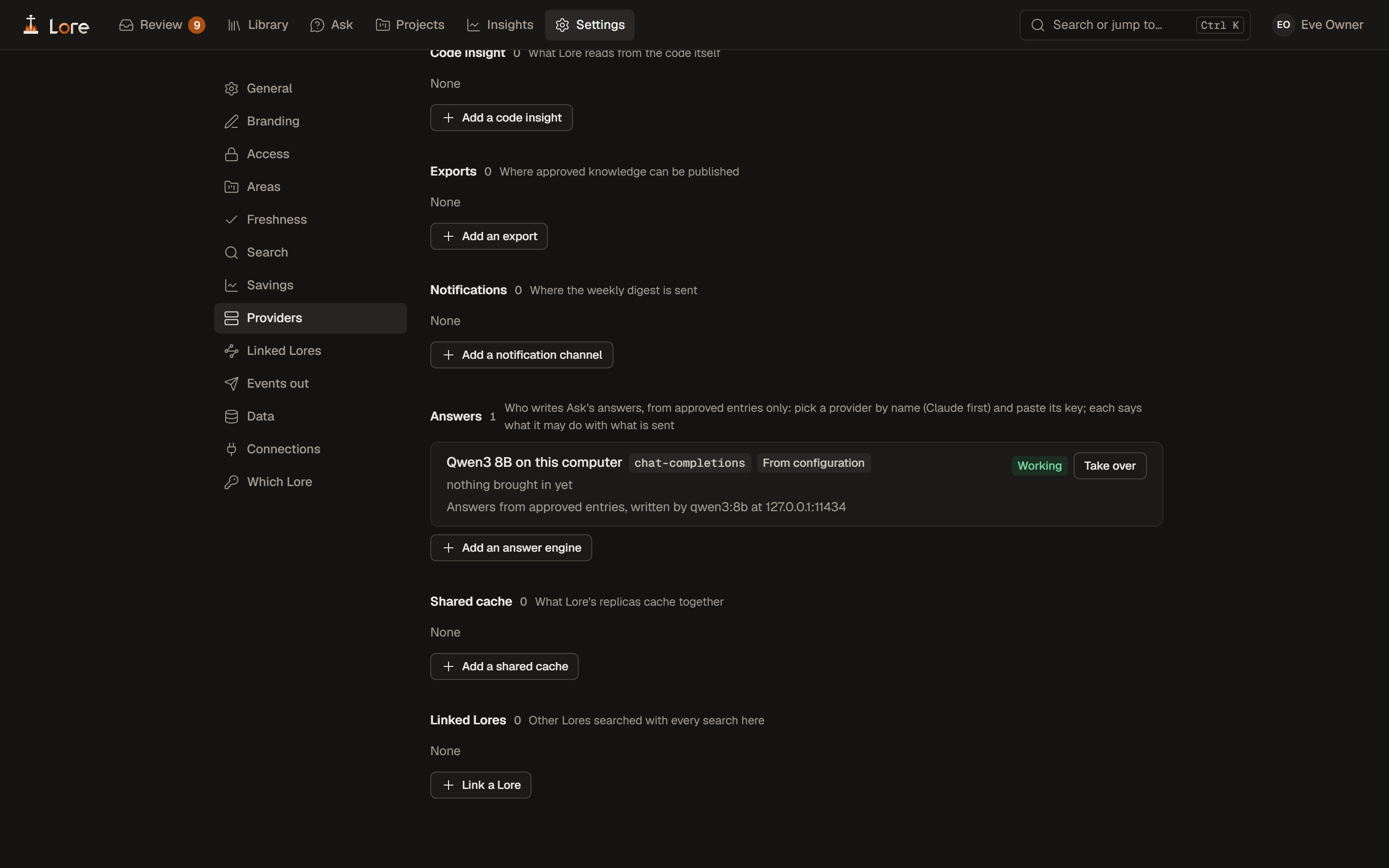
Providers lists what Lore talks to, each with its status: who may sign in, where people and teams come from, the sources it mirrors, where approved knowledge is published, where the weekly digest goes, who writes Ask's answers, and the other Lores it searches.

Set in the app, or in lore.yaml

A provider is added in the app, with a test of its connection before it is saved, or comes from the configuration file. Each says which, and one from the file can be taken over in the app.

Answers, your choice of model

Pick who writes Ask's answers by name, Claude first, or a model on your own machine. Each says what it may do with what it is sent.

Secrets kept sealed

A key given in the app is sealed and never shown again. A reference to an environment variable or a file works too.

Settings, Providers: code insight, exports, notifications, answers with Qwen3 8B on this computer working, shared cache and linked Lores, each with a button to add oneSettings, Providers: code insight, exports, notifications, answers with Qwen3 8B on this computer working, shared cache and linked Lores, each with a button to add one
Providers: what Lore connects to, here Ask answered by Qwen3 8B on this computerfig. 2

Kept safe

Security is a release gate, not a checklist.

A release does not tag unless every gate passes.

  • Dependency audits and pinned downloads
  • Secret scanning
  • Static analysis with Lore's own rules
  • A dynamic scan of the running server
  • Fuzzing of the parsers that read untrusted input

On your computer

lore connect backs up every file before it changes it and keeps the token in the system's keychain, never in a file. The desktop app treats its own page as untrusted.

Download and setup →How it works →